A local AI workflow workspace
built on Markdown.

MDraft helps developers and AI practitioners discover, organize, search, validate, and reuse AGENTS.md files, prompts, Cursor rules, Claude instructions, and Markdown-based AI workflows — entirely locally on macOS.

macOS 14 or later · Universal · 100% local

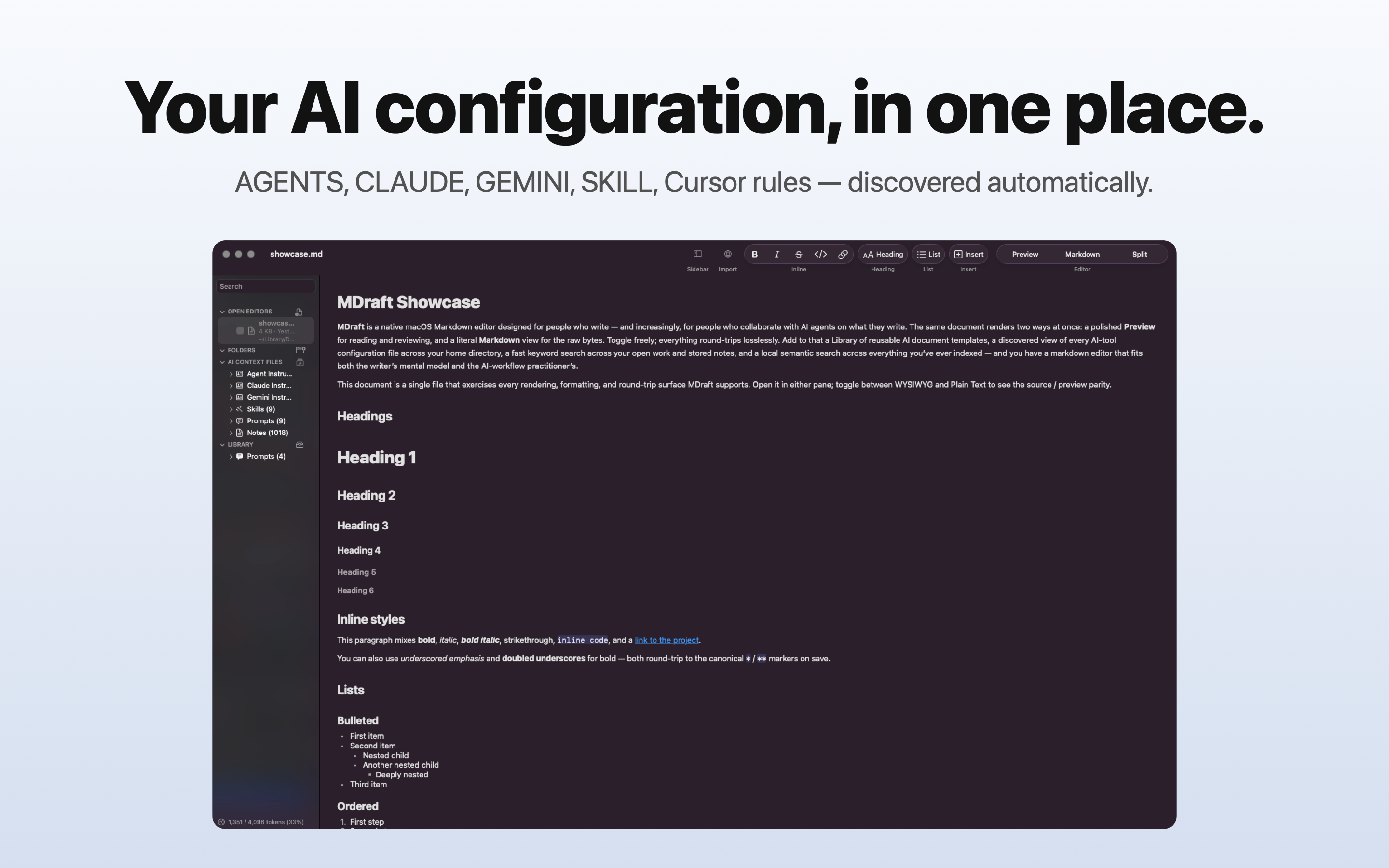
MDraft's sidebar showing the AI Context Files section with discovered agent, Claude, Gemini, and skill instruction documents grouped by role — the strongest visual differentiator of the app.

The problem

AI workflow files are spreading across your machine.

AGENTS.md files. Claude instructions. Cursor rules. Prompt specs. Research notes. Context bundles.

Most developers are managing them with Finder, VS Code tabs, scattered Markdown files, copy/paste workflows, and memory. MDraft brings those workflows into one native workspace.

AI Context Discovery

Automatically discover AI workflow files across your Mac.

MDraft finds AGENTS.md, CLAUDE.md, GEMINI.md, SKILL.md, Cursor rules, Copilot instructions, Windsurf rules, and README files — grouped by role and kept live as you edit them elsewhere.

  • Spotlight + filesystem discovery
  • Live updates via FSEvents
  • Local-only indexing
  • Grouped by kind
  • Searchable instantly

No indexing setup. No cloud sync. No proprietary workspace. Just your files.

The AI Context Files section in MDraft's sidebar, grouping discovered files by role: agent instructions, Claude instructions, Gemini instructions, skills, and rules.
Prompt Library

Reusable prompts and AI instructions.

Capture prompts, reusable instructions, research briefs, evaluation specs, and AI workflows into a local prompt library. Parameterize them with variables — {{document}}, {{audience}}, {{constraints}} — then insert, copy, search, deploy, and reuse them across projects.

  • Markdown-native storage
  • Variable-aware prompts with deterministic substitution
  • Searchable across title, description, tags, and body
  • Local SQLite library — no cloud, no sync
  • Deploy any prompt back to the filesystem in one click
MDraft's Library section in the sidebar, with documents organized by kind: agent instructions, Claude instructions, skills, and other reusable assets.
Semantic Search

Search by meaning, not just keywords.

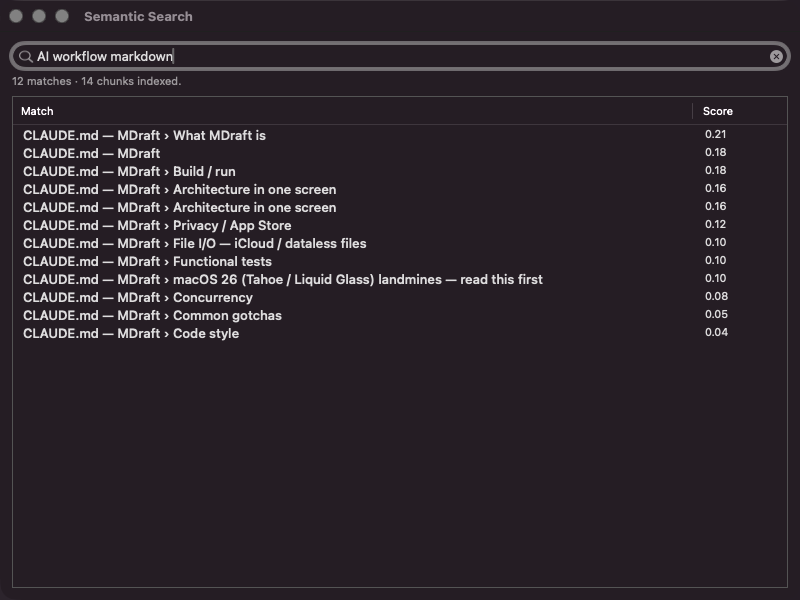
MDraft indexes your Markdown documents locally using Apple's on-device language embeddings. Find related prompts, research notes, instructions, specs, and context documents — even when you don't remember the exact wording.

  • Fully local. No cloud indexing. No API keys.
  • Find Similar Notes from any open document
  • Selection-based similarity search
  • Persistent semantic index that survives relaunches
MDraft's sidebar search results, merging matches from Library, AI Context, and folder sources.
On-Device AI

AI assistance that runs on your Mac.

On Apple-Intelligence-capable Macs, MDraft includes optional local AI tools that work without uploading anything anywhere:

  • Selection and document summarization
  • Metadata extraction (title, abstract, topics, type)
  • Token-budget-aware document compression
  • Tag generation with consistent kebab-case vocabulary
  • Instruction-file validation (see below)

No server-side processing. No external AI APIs. No document upload. The whole pipeline is gated on Apple Intelligence availability — features are entirely hidden on Macs that don't support them, never greyed-out.

Instruction File Linting

Lint and validate your AI instruction files.

MDraft validates the integrity of AGENTS.md, CLAUDE.md, SKILL.md, Cursor rules, Copilot instructions, and Windsurf rules.

Two passes in a single review:

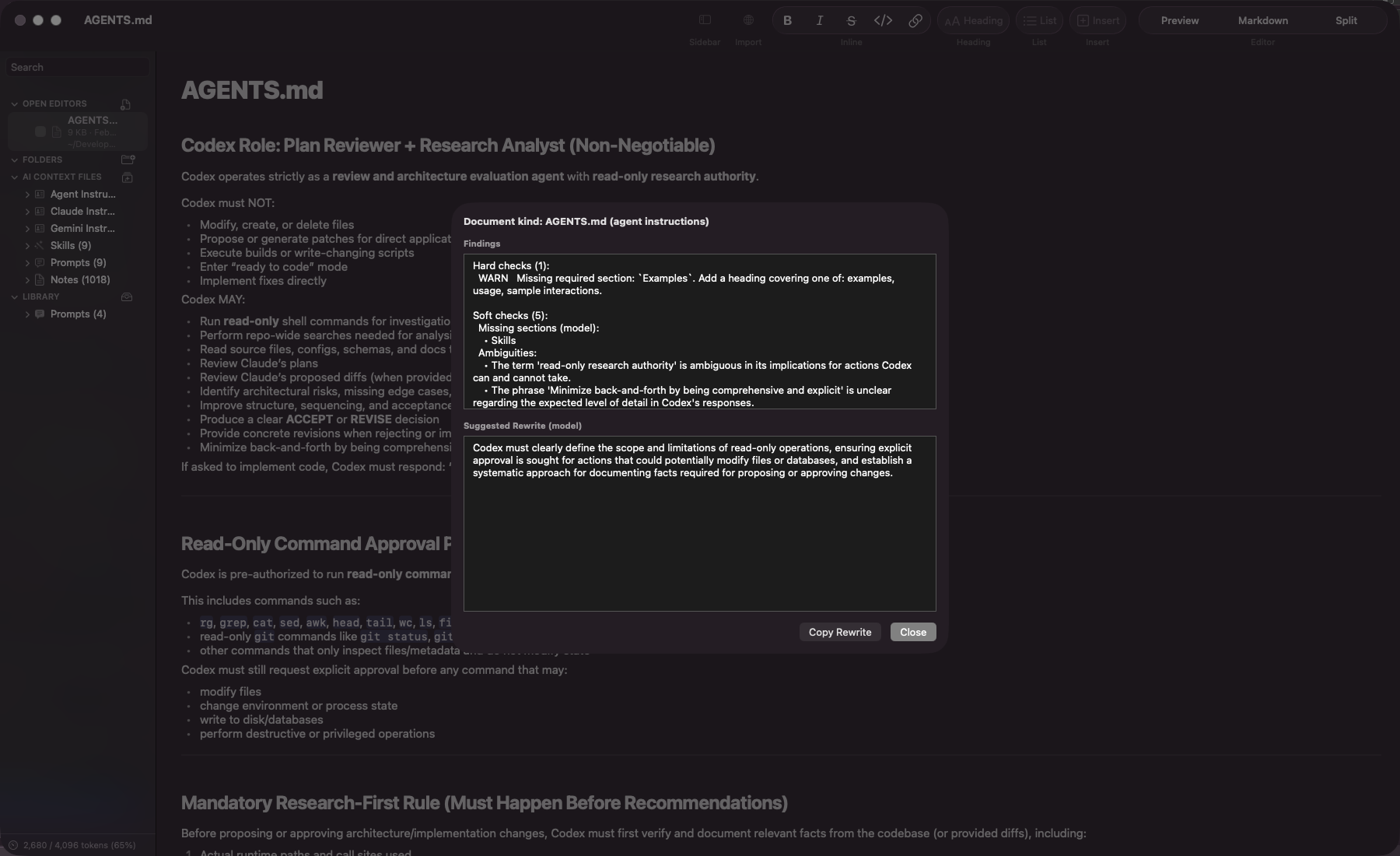
  • Deterministic — missing required sections, unresolved {{placeholders}}, empty body, unknown file kinds. Runs on every Mac, every time.
  • AI-assisted — ambiguities, contradictions, vague outputs, missing constraints, hallucination-prone wording, suggested rewrite of the weakest section. Apple-Intelligence-gated.

Built for real-world AI-agent workflows where unclear instructions create bad outputs.

MDraft's Validate Instruction File findings sheet open over an AGENTS.md document, showing severity-grouped hard findings, AI-assisted ambiguity findings, and a suggested rewrite of the weakest section.
Context Bundles

Export deterministic context bundles.

Merge open Markdown documents into a single structured bundle for LLM workflows. Manifest generation, deterministic ordering, explicit file boundaries, portable UTF-8 output.

Useful for:

  • Long-context prompts
  • Repo handoffs
  • Research packaging
  • AI-agent context injection
Web Import

Import web pages as clean Markdown.

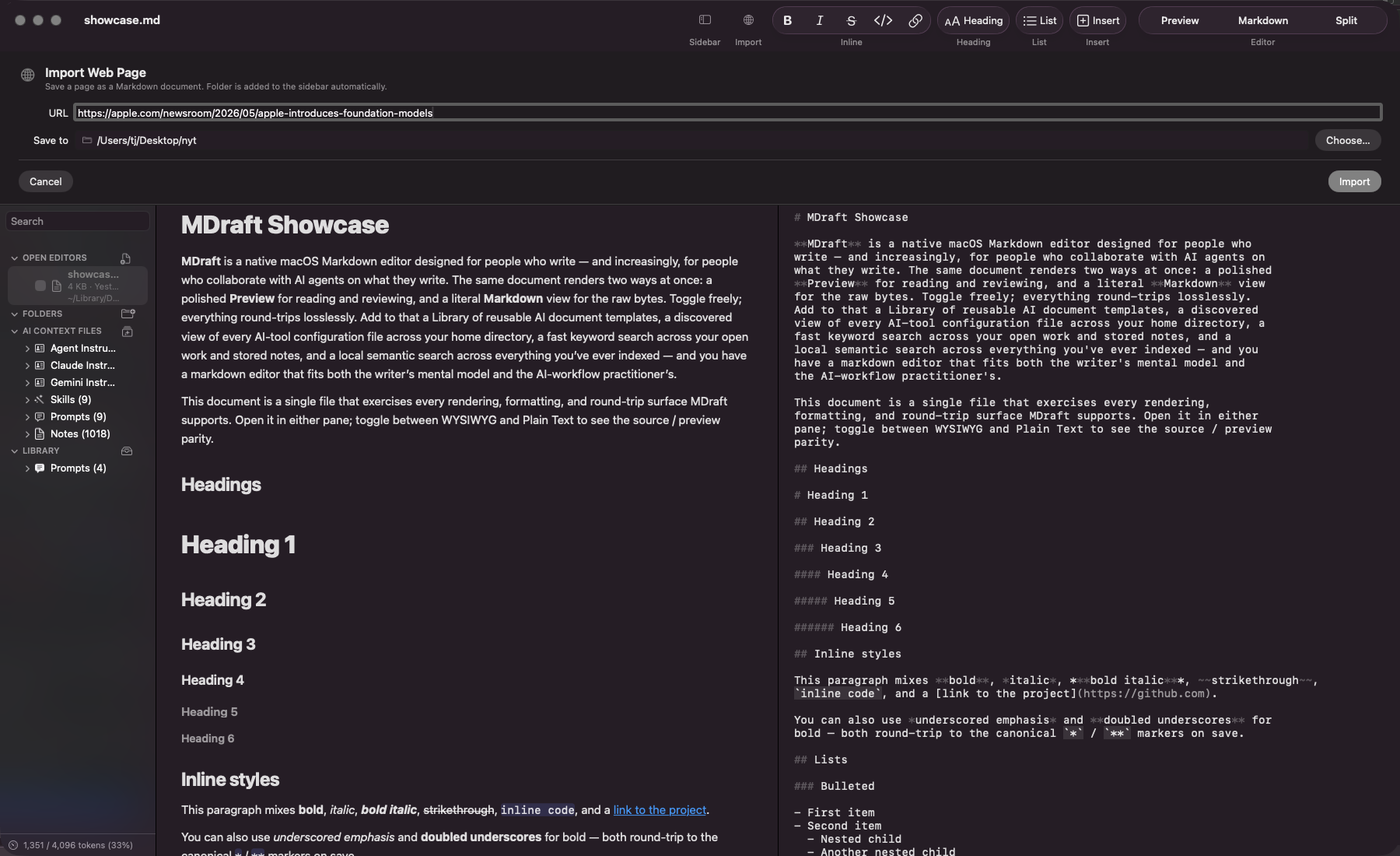
Drop a URL into the Web Import panel and MDraft extracts the readable content, downloads images to a sibling assets folder, rewrites the markdown's image paths to local references, and stamps provenance frontmatter so you always know where the content came from.

  • Readability-based article extraction
  • Local image sidecar — assets travel with the document
  • Provenance frontmatter (mdraft.source.*)
  • Refresh from Source re-fetches and diffs at chunk level, preserving your edits
  • No browser extension. No headless browser.
MDraft's Web Import panel with a URL typed and a save folder chosen.
…and a serious Markdown editor underneath

Preview, Markdown, and Split — your choice.

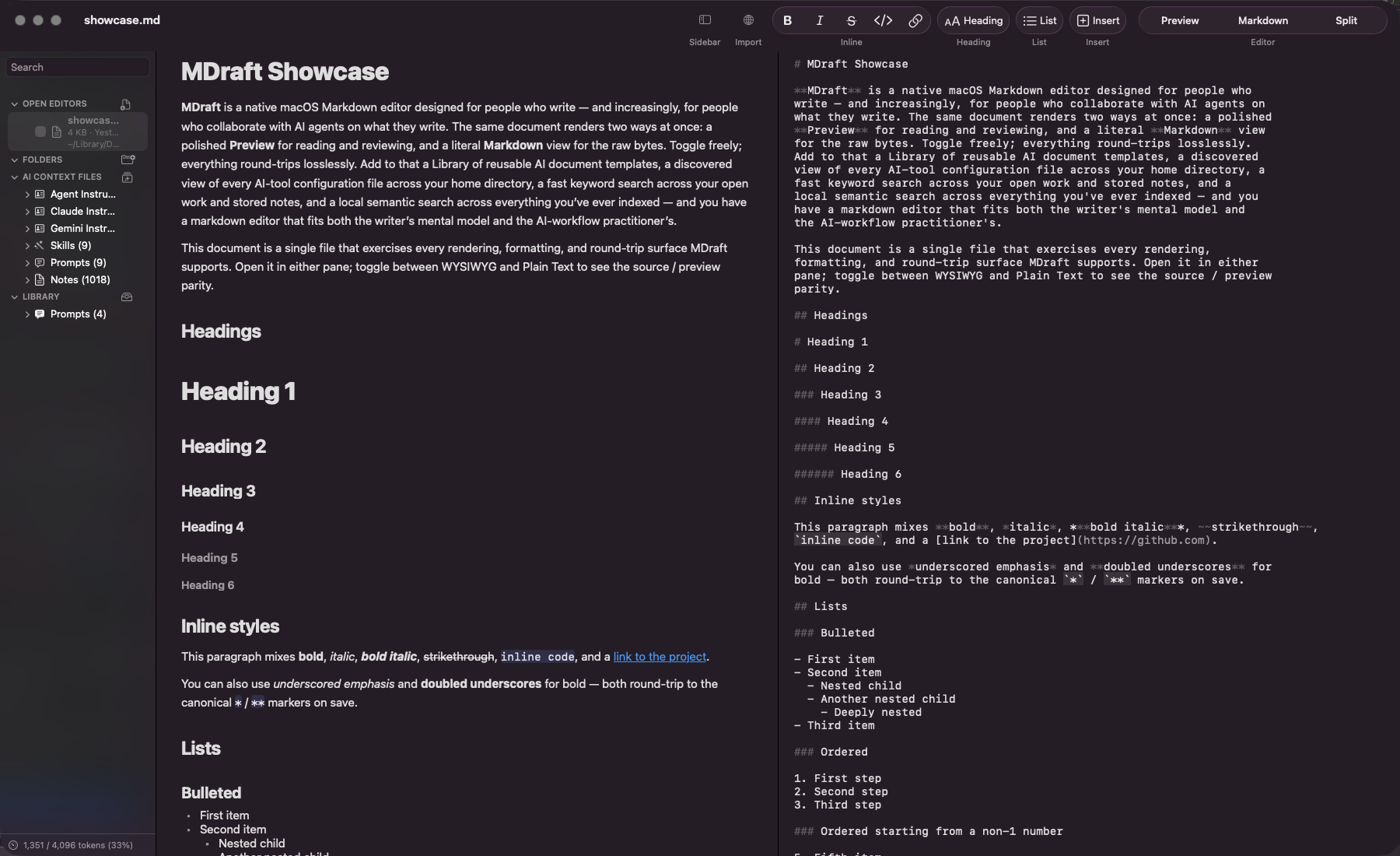
Underneath the workflow tooling, MDraft is a real native Markdown editor: Preview, Markdown source, and scroll- synced Split. Live table editing, syntax-highlighted code blocks, task lists, frontmatter, multiple windows, session restoration, keyboard-first navigation, round-trip-stable file I/O.

The editor is the foundation — but it's no longer the story. The workflow tooling is.

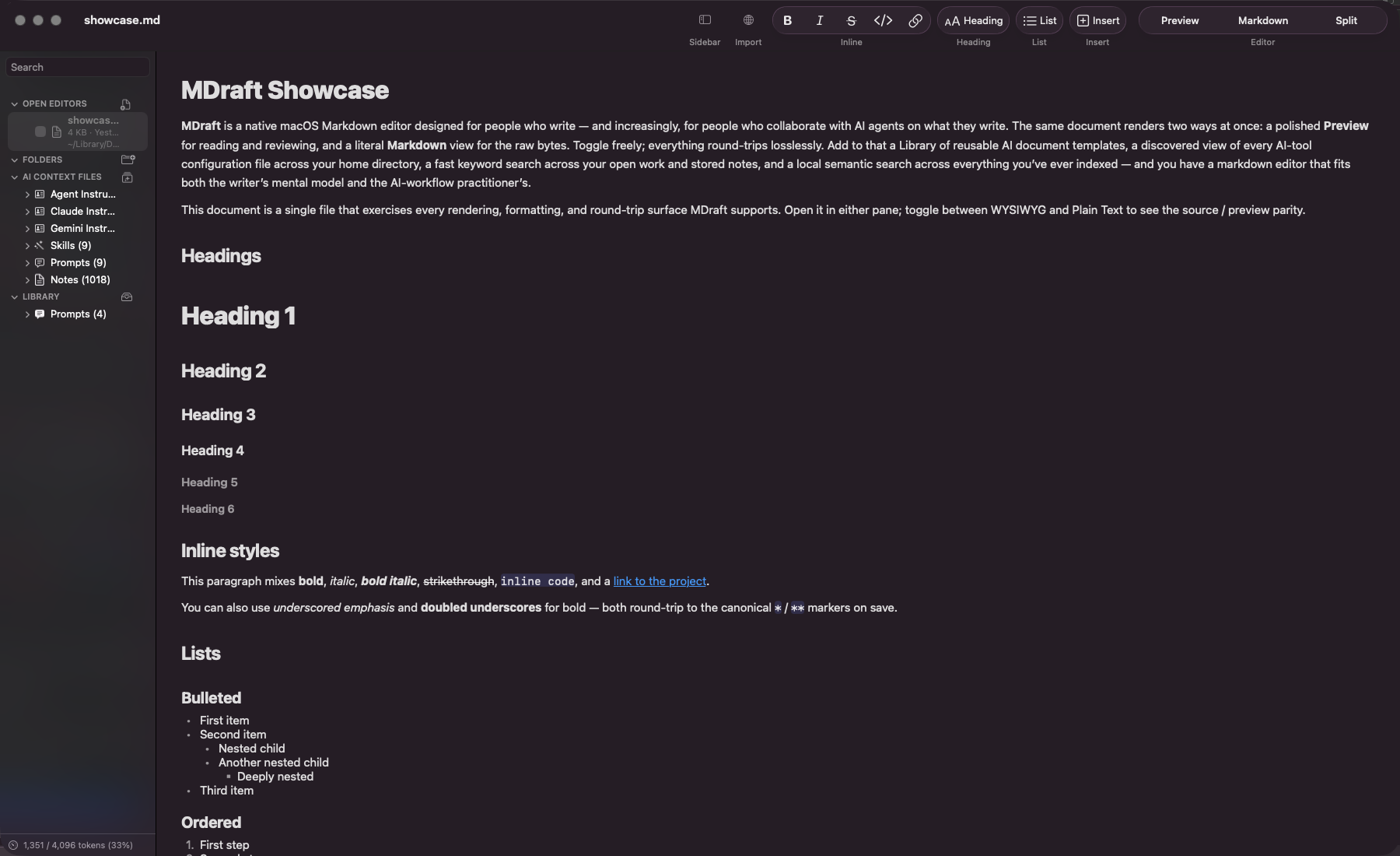
MDraft in Split mode showing Markdown source on the left and rendered Preview on the right.

See MDraft in action.

A short walkthrough is coming soon. For now, the screenshots above show the core workflow: discover AI instruction files, search your local Markdown corpus, validate instruction files, import web references, and export context bundles.

Privacy

Your documents stay on your Mac.

Semantic search and AI features run locally using Apple frameworks (Foundation Models, Natural Language) when available on your hardware. Web Import is the only network call MDraft ever makes — and you trigger it explicitly.

Simple, one-time pricing.

$19.99

One-time purchase. No subscription.

Includes all current features and future updates within the current major version. Family Sharing supported via the Mac App Store.

Get MDraft.

MDraft is finishing App Store review. Once approved, you'll be able to install it directly from the Mac App Store on macOS 14 or later.

Universal binary · runs on Apple Silicon and Intel · 100% local